OnlyFans Live has become one of the platform’s most dynamic features, and in 2026 it feels more polished than ever. Creators now treat it as a real-time stage where they can talk, perform, teach, entertain, or simply hang out with their fans. If you’ve ever wondered how to join OnlyFans Live or how to watch OnlyFans Live without running into a maze of confusing settings, the good news is that the whole experience has become much more intuitive.
Your Easy Way to OnlyFans Live
Viewers can easily watch live seasons on OnlyFans through a simple process of clicking a banner located at the bottom of the feed. This will allow them to instantly view the live session. The creator has the ability to create either free or paid live sessions. That’s where the question of how to watch OnlyFans Live without paying usually appears. The answer is simple: OnlyFans creators can set their streams as free or charge an entrance fee. There is no way to “hack” or find a “secret trick” to avoid paying for live sessions, and using a third-party site could expose your data and device to unwanted risks.
Whether you’re an artist or a supporter, the live streaming experience via the platform feels like it’s more accessible to all and not limited to those using other streaming platforms. The direct experience of using the platform allows for privacy, security, and genuine interaction with the creator, rather than simply being a spectator. And if you’re curious how does OnlyFans Live work on a deeper level, the platform uses built-in streaming tools, so you don’t need external software or complicated settings.
How to Go on OnlyFans Live?

Over the last few years, the process of signing up and setting up an account for a creator on OnlyFans has changed significantly. The ease of use is now at a point where you can go live in less than an hour from the moment you register as a creator for OnlyFans. While some creators may still have concerns about configuring technical settings and using streaming software, the truth is that it actually tends to be less difficult than most people think. If you’ve been thinking about how to go on OnlyFans Live, here’s what it actually looks like today.
Before you push the “Live” button, ensure your account is completely verified and that you have completed the requirements to enable payouts on your profile. Once you have everything set up correctly, simply begin your stream by tapping “Go Live” from the mobile app or dashboard on your desktop. You will be prompted to enter a short title, choose who can view your stream, and decide whether it will be offered for free or as a paid stream.
Once you create an account and start streaming, you’ll be able to customize your stream with a few key choices to suit the culture and tone of your show. You can add a chat welcome message, set an entry fee, and create goal settings to encourage people to tip for tips.
How to Watch OnlyFans Live in 2026: What You Need to Know

First of all, if you’re wondering how to find OnlyFans live streams, the easiest ways are through your feed, notifications, or by visiting a creator’s profile where active sessions are highlighted with a ‘Live Now’ banner. Watching a live stream on OnlyFans today feels much smoother than it did a few years ago. The platform has polished both the interface and the viewing tools, so even new users can jump in without confusion. If you’re curious about how to watch OnlyFans Live and what the experience looks like from the viewer’s side, here’s the quick, practical breakdown.
Creating an Account
The first step in using OnlyFans is creating an account. Although you do not need to pay to enjoy the free live-streaming experience. But you must verify your age and create a basic profile. OnlyFans uses this verification to guard against fraudulent accounts and protect both its viewers and its creators. Creating an account can take anywhere from one to three minutes. Once your account is active, you will be able to view the Active Streams section and start exploring live streams that are currently taking place.
Creators will have multiple options for creating live sessions. For example, if you follow a creator, every time they go live, their live stream will pop to the top of your Active Streams section. Live streaming platforms offer limited playback control options due to being intended for use in real-time. Viewers can participate in chats, send “tips,” provide reactions, or watch streams passively.
If you’re wondering how to view OnlyFans live stream content from different devices, you’re in luck. You can move between your phone, tablet, and laptop as long as you use the same account. The platform remembers your access, so you continue watching without paying again or losing your spot.
Watching OnlyFans Live should feel easy, natural, and engaging, and in 2026, it genuinely does. Whether you’re a casual viewer or a dedicated fan, the platform gives you a front-row seat with almost no effort.
Earning Opportunities With OnlyFans Live in 2026

OnlyFans Live has become a key source of revenue on the OnlyFans platform. Live engagements provide fans with a feeling of proximity to the creator and increase the feeling of connection between the two parties and create an entire engagement experience that encourages monetization. Why are so many influencers and performers capitalizing on these live performance opportunities? Primarily, the potential income.
Tips
When monetizing your live stream, one of the most important ways you can generate revenue is through tips. A viewer can tip you at any time during your live stream, whether it’s before the show starts (to show support) or during the live event (to join in on the fun). If a viewer tips, it means they want to feel like an active part of your live broadcast. This desire to be recognized creates a competitive atmosphere between viewers who want to support the creator. So, viewers may tip each other for the recognition, resulting in another source of income for the creator.
Paid Entry Streams
Another way to earn money from your live broadcast is through paid entry streams. With Paid Entry Streams, you charge viewers a ticket price to attend the live event. This allows you to create a premium experience for your audience. When you charge a ticket price for your event, it allows you to create a structured event (for example, a workshop) that allows you to create value for your fans while providing them with an exclusive experience. Many viewers are willing to pay for a unique experience.

Paid Requests
While streaming, you have the potential to receive money from your fans in the form of “paid requests.” Paid requests can range from answering questions that your fans post during the show to doing something for your fans or even making a special piece of content just for them. Paid requests can become a steady stream of income by using micro-interactions to create larger sums over time. Some creators use milestones as an incentive for fans to donate their support to help unlock the special experience. It is a fantastic way to engage your audience by showing them how you are progressing during the show!
Post-Stream Monetization
As mentioned previously, many of the creators are monetizing their work through post-stream monetization. Highlights, behind-the-scenes content, and special clips of your favorite moments are a great way to continue to make money after your show has ended, without needing to change anything about your recordings.
Co-streams
Collaborative streams are also another fantastic opportunity for creators to gain more revenue and have a broader reach. Collaborating with other creators allows you to gain new viewers and expand your current fanbase by bringing in people who watch other creators.
All in all, OnlyFans Live offers a flexible and powerful set of monetization tools. With the right setup and audience engagement, a single live session can generate more revenue than a full week of regular posts.
Platform Limitations & Common Issues to Expect

While OnlyFans Live offers a strong set of features, it still has a few limitations that creators should keep in mind. None of these are deal-breakers, but understanding them helps you plan smoother, more professional streams. Think of this section as a practical heads-up rather than a warning label.
OnlyFans has a number of limitations when it comes to creating content from the technical side of things. The platform doesn’t allow for very much customization on the quality of the stream. With regard to video quality, for instance, there is no option for a creator to change bitrate, resolution, or the advanced audio functions of the stream. All the elements of the broadcast are handled automatically by the app. For many people just starting out, this is better than needing to learn about the ins and outs of using a third-party app like OBS or other studio software.
Connection Sensitivity
The primary focus of OnlyFans is on mobile streaming that takes place in “real time.” If your expected live broadcast has low signal strength, then you can expect some lag time, delay, or temporary disruptions due to the low strength of your signal while broadcasting. Having a good/strong Wi-Fi signal will help provide you with a reliable connection for your live stream, but it is important that all creators check their connection for the maximum strong signal before starting their live stream to help prevent lag time, delay, or frustration during any part of their live stream due to slow upload speeds.
Content Restrictions
OnlyFans has a set of rules that are strictly enforced regarding what content can be displayed during a live session. Many creators say that they fully understand the guidelines. So, it makes creating some types of content very difficult. Likewise, when exploring the avenues of producing adult-only content, one must also consider the various laws and regulations that exist within the various geographical markets. Some regions do not allow any adult content. As a result, OnlyFans automatically restricts people who live in these areas from accessing your content.
Monetization Limitations
While you can charge for access to your creations, independent sites may allow for the ability to create multiple levels of tickets, but not through OnlyFans. You cannot multistream your broadcasts during a live event and are limited to the OnlyFans ecosystem during the event.
To sum up, these limitations do not prevent creators from being able to achieve success. However, they do influence how creators will experience their business. By being aware of these limitations, you will have an easier time finding your way through them to plan a consistent and quality performance every time.
Best Streaming Tips for Successful OnlyFans Live Shows

Running a successful OnlyFans Live stream isn’t just about hitting the “Go Live” button. To really engage your audience and maximize earnings, you need a mix of preparation, presentation, and promotion. Even small tweaks can make a big difference in viewer retention and tips.
Setup
Your setup is key to your technical success because lighting, camera angle, and microphone quality are important aspects that many creators overlook. Natural lighting is good, but even a ring light will do wonders for the video quality. A tripod or stand will create a stable camera position. You should also test the internet connection prior to streaming to ensure no lag or disconnects occur.
Strategies
Develop strategies for connecting with your audience. Live viewers expect to be able to interact with you, as well as connect with you personally. This means engaging with your viewers by asking questions, answering chat questions, and including fun activities, such as games or polls, within the session. Offering tipping goals and unlockable actions for your most engaged viewers can provide them with added incentive to support you and increase your income and revenue.
Promotion
Share your streaming dates and times in advance using OnlyFans posts, Stories, and social media accounts, if applicable. This builds anticipation for you to be present at those times and will yield better tipping opportunities. By consistently scheduling streams, your viewers will know when to expect you and will continue to come back.
Structure
Even though it may seem laid-back, maintaining a beginning, middle, and end will create a continuous flow of energy for the duration of your stream and prevent awkward breaks. Encourage your viewers to tip you for special moments you highlight throughout your stream. Offer advice on what to expect from your next paid session or other content and how to subscribe to it at the end of your live stream.
By combining technical readiness, interactive engagement, thoughtful promotion, and structured content, your OnlyFans Live shows can go from average to outstanding. Fans notice the difference, and so does your bottom line.
While OnlyFans Live is powerful, many creators start thinking about alternatives once they hit a certain level of success. Scrile Connect and Scrile Stream make it easy to create a live stream and grow your audience. These two platforms provide all the tools necessary for users to create high-quality professional live broadcasts, earn money through direct-to-consumer monetization, and develop an independent business model.
Scrile Connect: Build Your Own Creator Platform
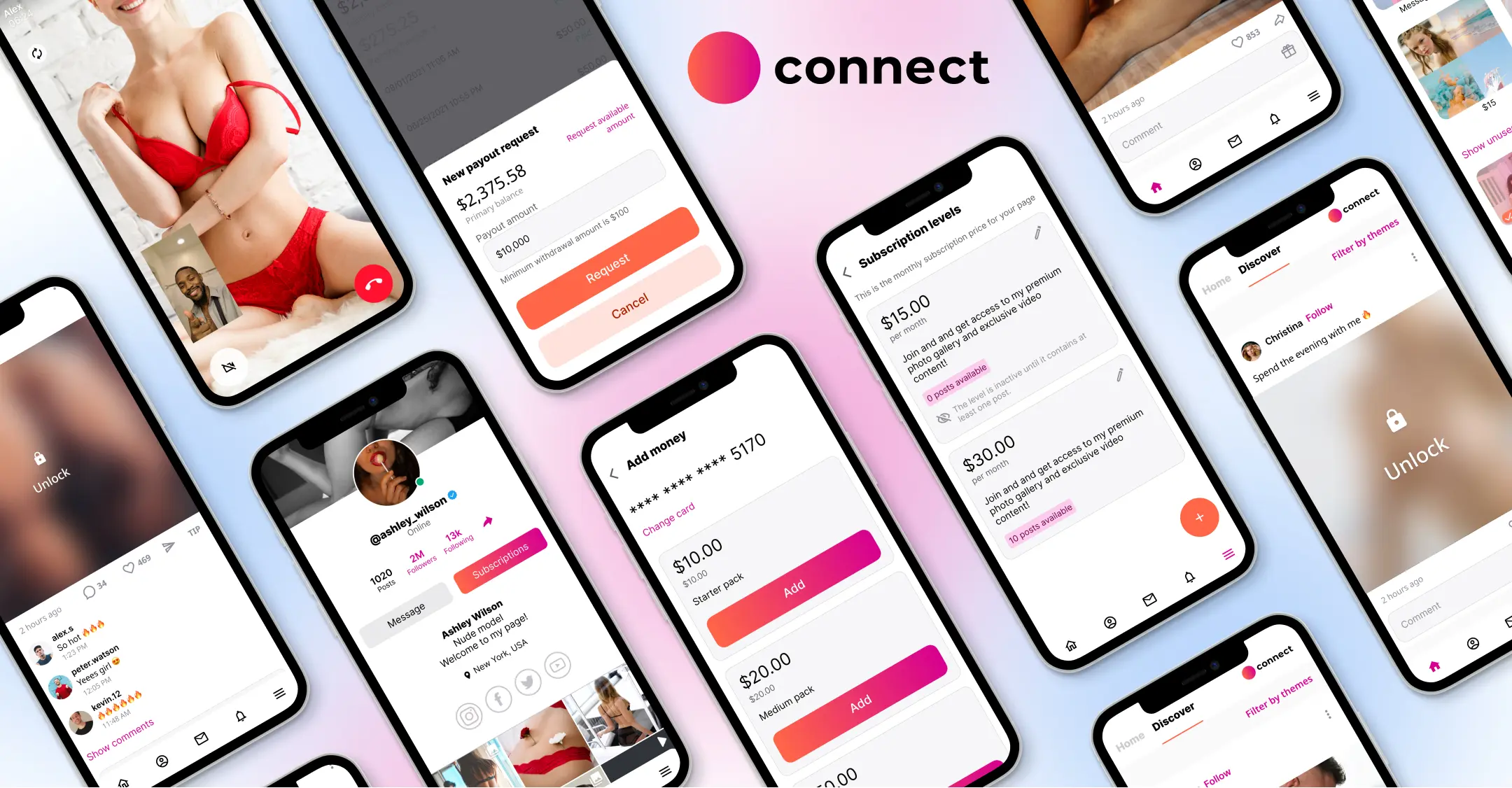
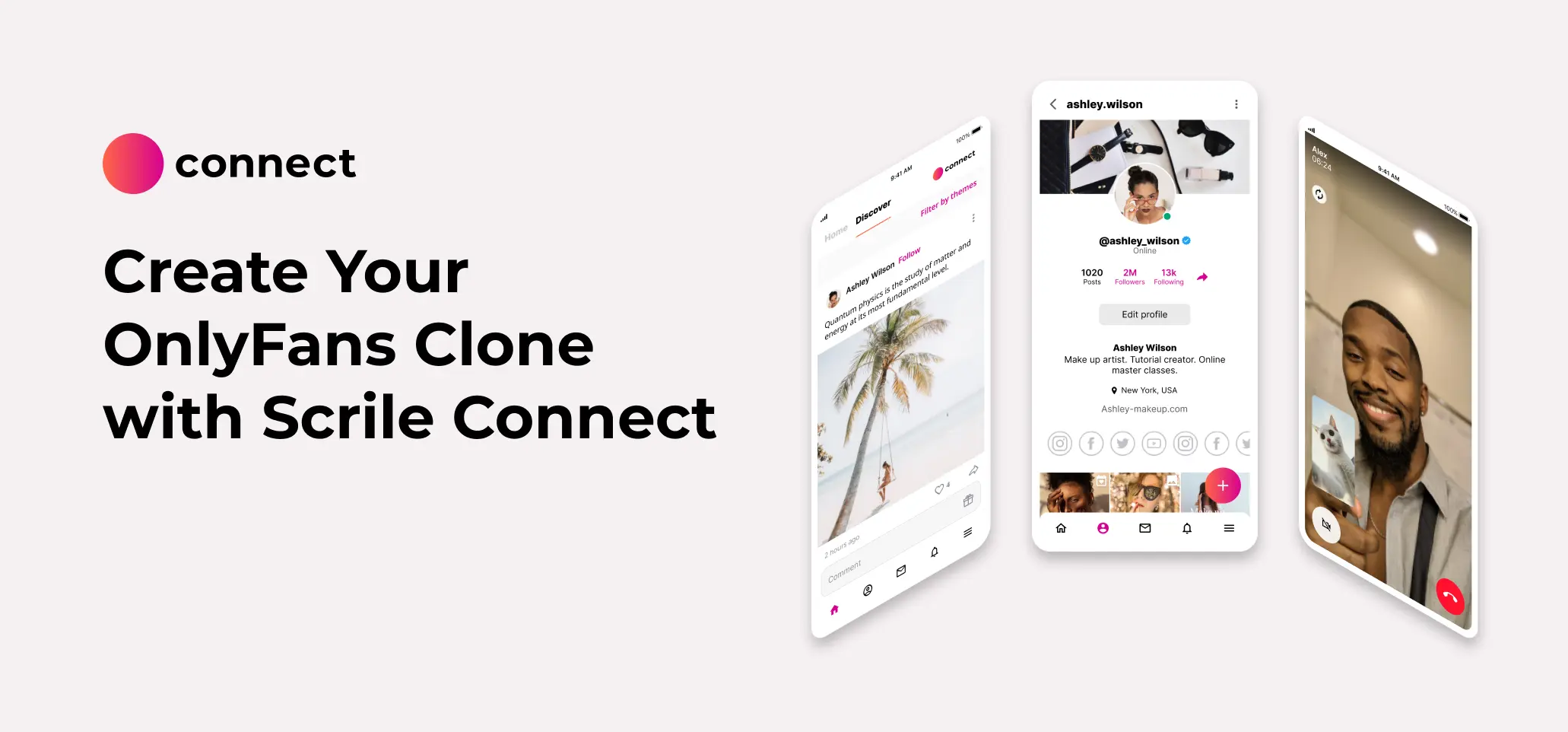
Scrile Connect enables content creators to develop a fully branded subscription service for their audience. With Scrile Connect, creators can make different tiers of subscriptions for their audiences, add pay-per-view content, and connect directly with their audiences. With Scrile Connect, creators own 100% of the content and revenues created in their subscription service, unlike on other platforms. This platform also provides many tools that help content creators run all aspects of their business from one centralized location, including private messaging, targeted exclusive content, and live streaming.
Explore Scrile Connect
Scrile Stream: Professional Live Streaming Infrastructure
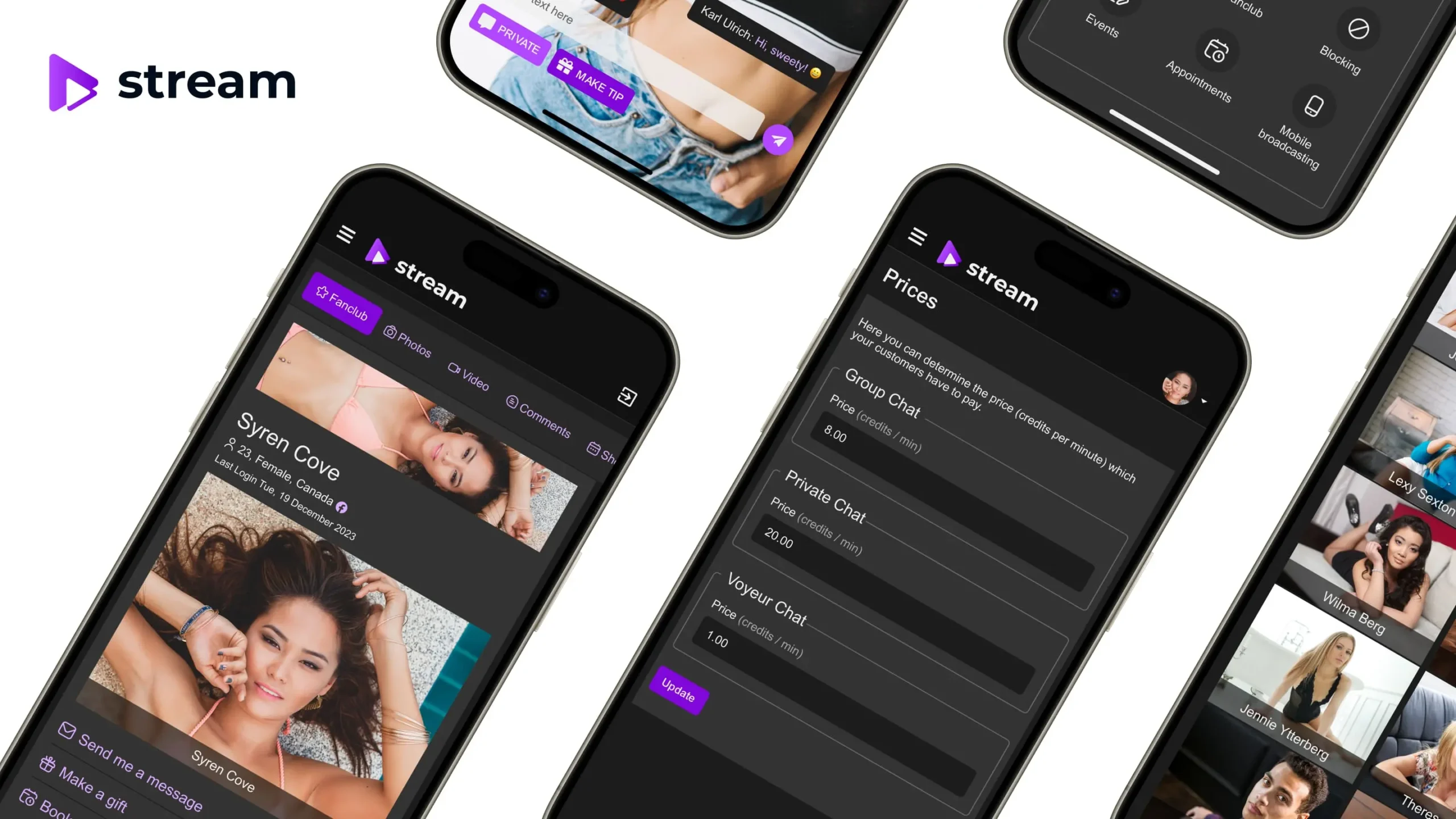
Scrile Stream provides high-quality, low-latency streaming for both large and small audiences alike. The platform also allows users to offer users the ability to purchase tickets to events, tip event hosts, and have other kinds of interactivity. The service allows for customized branding. It has multiple ways to customize access to your stream while creating high-quality live streams for professional creators without the overwhelming complications of marketing your brand and distributing your products.
Get a free demo
Key Benefits of Scrile Products
- Complete control over audience, branding, and revenue.
- Flexible monetization options beyond pay-per-view and tips.
- High-quality, low-latency streaming for a smooth viewer experience.
- Ability to scale and grow independently from other platforms.
For creators looking to elevate their live content, exploring Scrile Connect and Scrile Stream is a smart move. These tools not only complement existing platforms like OnlyFans but also provide a solid foundation for building a sustainable, professional creator business.
Take your live content beyond OnlyFans with Scrile!
FAQ: OnlyFans Live Streaming in 2026

How to watch live on OnlyFans?
It is really easy to watch a live stream on OnlyFans. All you have to do is go to the creator’s page when they are live. When you are there, you will be presented with their invitation to join their streaming session. If a ticket or subscription is required for the stream, you will be prompted to make your payment in order to enter the stream. Some content creators will even allow you to “co-stream” with them, meaning you could receive an invitation to join their stream directly.
Are there OnlyFans livestreams?
Definitely. Not only does OnlyFans include the ability to use live video streaming, but also social media posting, private messaging, and interactive posting. Connect with your audience directly through live video streaming, conduct live question and answer sessions, provide virtual workshops, and do live performances. Interactive features such as chat, tipping, polls, and scheduled streams allow for higher levels of engagement. Creators who want to have everything all in one place on their own branded live streaming platform can use Scrile Connect and Scrile Stream. These two platforms provide professional-quality streaming with customizable monetization and audience control features.
Which country uses OnlyFans the most?
OnlyFans has the biggest user base and creator base in the US. Other countries are trending in engagement as well: the UK, Canada, and Australia. The European countries, including Germany, France, Italy, and Spain, and Brazil (South America), have millions of fans and creators too. As a creator trying to expand outside of your home country, knowing these markets will give you insight on how to run live streams and market products to those specific audiences.

Polina Yan is a Technical Writer and Product Marketing Manager at Scrile, specializing in helping creators launch personalized content monetization platforms. With over five years of experience writing and promoting content for Scrile Connect and Modelnet.club, Polina covers topics such as content monetization, social media strategies, digital marketing, and online business in adult industry. Her work empowers online entrepreneurs and creators to navigate the digital world with confidence and achieve their goals.